Couples Finance
How to Track Shared Expenses Without Stress (2026)
Stop the moneyArguments. This guide shows couples how to track shared expenses without stress using apps, spreadsheets, and systems that actually work for two people.
Tracking shared expenses does not have to mean spreadsheets at the dinner table, passive-aggressive notes on receipts, or the silent treatment when one partner overspends. The couples who manage their money together successfully are not the ones with the most willpower — they are the ones with the best systems. This guide covers exactly how to build a shared expense tracking system that works for two people with different spending habits, income levels, and financial backgrounds.
Affiliate Disclosure: Budgeting for Couples earns a commission on qualifying purchases through our Amazon links at no extra cost to you. See our full affiliate disclosure.
Table of Contents
- Why Shared Expense Tracking Breaks Down
- Choosing the Right Tracking System for Your Relationship
- The Proportional Contribution Method
- Setting Up Your Shared Expense Tracker
- Daily Habits That Make Tracking Effortless
- Monthly Budget Reviews That Actually Happen
- Handling Overspending Without a Fight
- The Best Apps and Tools for Couples Expense Tracking
- Frequently Asked Questions
- Sources & Methodology
- About the Author
Why Shared Expense Tracking Breaks Down

Before you can fix your expense tracking system, you need to understand why most couples' systems fail in the first place.
The Accountability Trap
Many couples fall into what financial therapists call the accountability trap — one partner takes full responsibility for tracking expenses, which creates resentment. The tracking partner feels burdened; the non-tracking partner feels nagged. Neither is wrong. When one person owns the budget, it stops being a shared system and becomes a one-person job that the other tolerates at best.
Income Asymmetry Creates Invisible Tension
When one partner earns significantly more or less than the other, unspoken guilt or resentment creeps in. The lower earner may feel they cannot spend freely on anything — even essentials. The higher earner may feel their contributions are taken for granted. Without explicit, agreed-upon rules about spending categories, this tension lives beneath every purchase decision.
Lifestyle Inflation Without a Shared View
Research from the National Endowment for Financial Education found that 70% of married couples say money is a major source of conflict in their relationship, yet fewer than one in three couples have a written budget they both follow. Without a shared view of income and expenses, couples tend to spend up to their combined income level without discussing whether that level is intentional.
The "My Money / Your Money" Binary
Psychologists who study couples and money have found that the pure separate-accounts approach sounds liberating in theory but often creates parallel financial lives rather than a partnership. Meanwhile, pure joint accounts can feel suffocating for the partner who values financial autonomy. The solution is not which extreme to choose — it is building a structure that acknowledges both shared responsibility and individual freedom.
What Successful Couples Do Differently
Couples who track shared expenses without stress share three characteristics: they have explicit rules about which expenses are shared and which are personal, they use tools that require minimal effort to maintain, and they treat their monthly budget review as a non-negotiable appointment. The system you build in this guide delivers all three.
Choosing the Right Tracking System for Your Relationship

Option 1: Dedicated Budgeting Apps (Best for Most Couples)
Apps like YNAB (You Need a Budget), Monarch Money, and Copilot are purpose-built for personal and couples budgeting. They connect to your bank accounts, automatically categorize transactions, and let both partners access the same budget view in real time.
Pros:
- Automatic transaction import — no manual entry required
- Real-time shared visibility for both partners
- Goal tracking for shared savings targets
- Most include phone apps so tracking happens on the go
Cons:
- Requires connecting bank accounts (a barrier for some couples)
- Monthly subscription cost ($7–$15/month for YNAB, $15/month for Monarch Money)
- Learning curve for partners unfamiliar with budgeting software
Best for: Couples who want minimal daily effort and have moderate to complex finances (multiple accounts, credit cards, investments).
Option 2: Shared Spreadsheet (Best for Transparency-Focused Couples)
A well-designed shared spreadsheet in Google Sheets or Excel remains a powerful option. It requires manual transaction entry, but the act of logging expenses together creates awareness that automatic import can sometimes bypass.
Pros:
- Free (assuming you have Google Sheets or Excel)
- Full control over categories and layout
- Can be customized to your exact needs
- No bank connection required — privacy intact
Cons:
- Manual entry is time-consuming and easy to skip
- No automatic alerts for overspending
- Depends on both partners consistently opening the file
Best for: Couples who prefer full control over their data and do not mind a few minutes of daily entry.
Option 3: Hybrid Approach (Best for Long-Term Success)
The most sustainable system combines an app for tracking with a monthly spreadsheet for the review session. The app handles daily automation — transaction import, categorization, running totals. The monthly review uses a shared Google Sheet to hold the conversation, track progress toward goals, and adjust categories.
This is the approach recommended by most financial therapists who work with couples. It gets the friction out of daily tracking while preserving the intentional conversation that keeps both partners aligned.
The Proportional Contribution Method
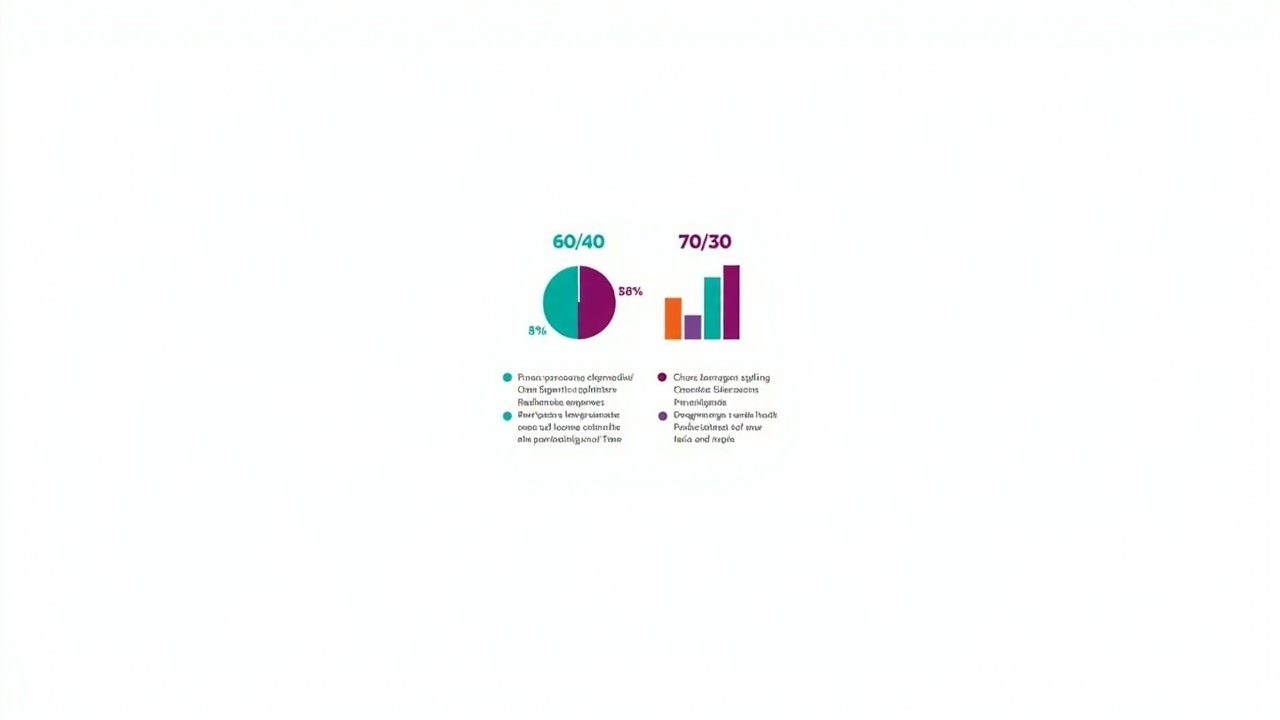
The single biggest source of conflict in couples finances is not how much they earn — it is how they decide what is fair to contribute. The proportional contribution method resolves this with mathematical clarity.
How It Works
Step 1: Calculate your combined net monthly income. Step 2: Determine each partner's percentage of that total. Step 3: Each partner contributes that same percentage to the shared joint account. Step 4: Shared expenses (housing, utilities, groceries, insurance, shared savings goals) are paid from the joint account. Step 5: Each partner's remaining income after their contribution is their personal discretionary money.
Example: The $100,000 Household
Partner A: $65,000/year net income Partner B: $35,000/year net income Combined: $100,000/year
- Partner A's share: 65% of shared expenses
- Partner B's share: 35% of shared expenses
If monthly shared expenses total $4,000:
- Partner A contributes: $2,600/month to joint account
- Partner B contributes: $1,400/month to joint account
Partner A has $2,833/month remaining for personal spending and savings. Partner B has $1,521/month remaining for personal spending and savings.
Both partners contribute fairly relative to their income. Neither is stretched beyond their means. The joint account has exactly what it needs.
The Conversation That Makes It Work
The proportional contribution method requires an honest conversation about income. This conversation is uncomfortable for many couples, particularly where earning disparities reflect historical inequities (caregiving gaps, career interruptions, industry differences). Approach the conversation from a place of teamwork, not fault-finding.
A useful opening line: "I want us both to feel good about our financial life together. Can we talk about how we each see our contributions and whether the current setup feels fair to both of us?"
Setting Up Your Shared Expense Tracker
Step 1: Define Your Shared Categories
The first decision is what counts as a shared expense. This varies by couple, but most include:
Housing: Rent or mortgage, property taxes, home insurance, repairs and maintenance Utilities: Electricity, gas, water, internet, streaming services Groceries and household supplies: All food, cleaning products, paper goods Transportation: Car payments, insurance, fuel, public transit, car maintenance Healthcare: Health insurance premiums, deductibles, prescriptions Shared savings goals: Emergency fund, vacation fund, down payment, holiday gifts
Personal (non-shared) categories typically include: personal clothing, individual subscriptions, personal hobbies, gifts for each other, personal grooming.
Step 2: Set Monthly Amounts for Each Shared Category
Based on your historical spending and income, assign a monthly budget to each shared category. Use the first month as a data-gathering exercise — no judgment, just observation. Both partners should review the actual numbers together before setting targets.
Step 3: Open a Joint Account (If You Have Not Already)
A dedicated joint checking account serves as the shared expense hub. Both partners transfer their contribution amount on payday. All shared expenses are paid from this account.
How much to keep in the joint account: Aim for one month's worth of shared expenses as a buffer. This prevents the anxiety of watching the balance hover near zero between paychecks.
Step 4: Connect or Log Transactions
If using an app: connect the joint account and both partners' individual accounts. Set up shared budgets for each category. Enable notifications so both partners see new transactions.
If using a spreadsheet: designate one partner as logger for one week, then switch.交替 logging prevents resentment and keeps both partners aware of spending patterns.
Daily Habits That Make Tracking Effortless
The couples who track expenses without stress do not have more willpower — they have better defaults. These three habits take fewer than five minutes per day combined.
Habit 1: The Morning glance
Once per day — ideally with your morning coffee — open the shared budgeting app and glance at yesterday's transactions. This takes 30 seconds. You will notice if something unexpected posted, if a shared expense was charged to the wrong card, or if one partner spent significantly in a way the other did not anticipate. If sleep quality has been poor, cognitive load increases and financial decisions suffer — a good sleep routine supports clearer money conversations.
Habit 2: Swipe to Categorize
Most budgeting apps auto-categorize transactions but occasionally misclassifies them. When you see a transaction that looks wrong, tap it and reassign the category. This takes 5 seconds and keeps your data accurate.
Habit 3: The Friday Afternoon Check-In
Friday afternoon is when most couples mentally shift into weekend mode. Use that transition moment to open the shared budget together — just to see where you stand for the week. If one category is 80% spent by Friday afternoon, you both know to pull back over the weekend. This prevents the post-weekend reckoning where you discover you blew the grocery budget on dining out.
The Shared Grocery Habit
Groceries are the category most likely to quietly spiral in a shared expense system. Two habits help:
Shop with a list — and the list only. The 2024 Consumer Brands Association study found that shoppers who use a written grocery list spend 23% less than those who do not. Share one list between both partners via a shared app (Google Keep, Any.do, or your budgeting app's built-in list feature).
Do not use a shared credit card for grocery impulse buys. Set a personal spending threshold — any grocery purchase over $50 requires a quick text confirmation. This is not about trust; it is about awareness. Many couples find that small, untracked grocery impulse purchases add up to hundreds per month.
Monthly Budget Reviews That Actually Happen

A monthly budget review is not optional if you want tracking to work long-term. It is the system that catches problems before they compound and keeps both partners genuinely engaged with the shared financial picture.
How to Structure the 30-Minute Review
Minutes 0–5: Review last month's totals against the plan. Open the shared spreadsheet or app. Look at each shared category. Did you overspend? Underspend? No judgment — just numbers. Note the total net worth change for the month (assets minus liabilities).
Minutes 5–15: Progress toward goals. Pull up your shared savings goals. How much did you add to the vacation fund? The emergency fund? The holiday gifts fund? Celebrate progress — this is the motivational engine of budgeting. If a goal is behind schedule, problem-solve together without blame.
Minutes 15–25: Plan the coming month. Look at any known large expenses coming next month — a car registration, a birthday, a medical appointment. Does the budget accommodate them? Adjust categories as needed. This is also the moment to discuss any changes to the contribution amounts (bonuses, raises, job changes).
Minutes 25–30: Personal spending check-in. Each partner shares, if they want to, how their personal account spending went this month. This is not mandatory — personal spending is personal. But many couples find that even a brief, low-pressure share builds financial intimacy and prevents surprises.
Making It Non-Negotiable
Put the monthly review on both partners' calendars as a recurring appointment. Treat it with the same respect you would a doctor is appointment or a work meeting. Reschedule only if there is a genuine conflict — never skip.
Consider coupling it with something enjoyable: your favorite takeout, a glass of wine, a walk afterward. The goal is to make the review something you look forward to, not something you endure.
Handling Overspending Without a Fight

Overspending in a shared budget is not a moral failure — it is a data point. Here is how to treat it that way.
The 72-Hour Rule
Before reacting to an overspend, wait 72 hours. The immediate emotional reaction ("you spent HOW MUCH?") rarely leads to productive conversations. After 72 hours, both partners can approach the overspend analytically rather than defensively. Pair this with a calming evening routine — wind down with herbal tea instead of caffeine so both partners are emotionally regulated before the conversation.
Separate the Behavior from the Person
Instead of "you spent too much," say "we spent too much in dining this month — $340 over budget." The framing shifts from blame to collaborative problem-solving. Ask together: what made this category hard to stick to this month? Was the budget unrealistic? Was there an unusual circumstance? What do we want to do differently?
Build a "Overspend Buffer" Category
The most sustainable budgets include a small miscellaneous category — typically $100–$200 per month — that exists specifically to absorb the small overruns that are inevitable in any budget. This prevents the psychological pain of "going over budget" for every minor overspend and makes the budget review less about failure and more about calibration. Couples who cook together at home spend significantly less on dining out — a well-equipped kitchen with shared staple ingredients makes home cooking the default, not the exception.
When the Overspend Is Significant
If a shared expense category is 50% or more over budget in a single month, that is a signal worth investigating. It may mean the budget target was unrealistic and needs to be adjusted. Or it may reveal an underlying pattern — one partner consistently spending more in a category — that requires a candid conversation about whether the category allocation needs to change.
The Best Apps and Tools for Couples Expense Tracking

YNAB (You Need a Budget)
YNAB is built on the principle of giving every dollar a job. You assign your income to categories, and the app tracks whether you have remaining room in each. Its learning curve is steeper than other apps, but couples who commit to the method swear by it. The shared budget feature lets both partners manage the same budget from their own devices.
Best for: Couples who want a structured system that forces intentional allocation decisions.
Price: $7.99/month or $84/year
Monarch Money
Monarch Money is designed specifically for couples and serious personal finance users. It includes a joint net worth tracker, shared transaction categorization, and automatic goal tracking. Its interface is polished and modern — the most visually appealing of the couples-focused options.
Best for: Couples with complex finances who want a beautiful, full-featured app.
Price: $15/month (individual), $20/month for couples
Copilot
Copilot uses AI to auto-categorize transactions with impressive accuracy and surfaces insights about spending patterns. Its shared dashboard is real-time and its interface is among the most intuitive available. It does not require you to manually assign every dollar.
Best for: Couples who want powerful insights with minimal effort.
Price: Starter plan free; Copilot Plus $7/month per user
Sharedrow
Sharedrow is a purpose-built app for shared expense tracking between roommates and partners. It is simpler than YNAB or Monarch — less customizable but significantly easier to set up. It supports split expenses, tracks who owes whom, and includes group expense reports.
Best for: Couples who want a simple, focused tool without the complexity of a full budgeting app.
Price: Free tier available; Premium $5/month
Quick Comparison Table
| App | Monthly Cost | Shared Budget | Bank Sync | Best For |
|---|---|---|---|---|
| YNAB | $7.99–$84/year | Yes | Yes | Intentional allocators |
| Monarch Money | $15–$20/month | Yes | Yes | Complex finances |
| Copilot | Free–$7/month | Yes | Yes | Minimal-effort insight |
| Sharedrow | Free–$5/month | Yes | Yes | Simple shared tracking |
| Google Sheets | Free | Yes (manual) | No | Full control seekers |
Frequently Asked Questions
What is the best way for couples to track shared expenses?
The best way for couples to track shared expenses is to use a dedicated budgeting app that supports multiple users and shared goals, combined with a monthly review habit. Apps like YNAB, Monarch Money, and Copilot allow both partners to log expenses in real time, categorize spending, and see a shared dashboard. The key is choosing one system both partners actually open — an app nobody checks is worthless.
Should couples have joint or separate bank accounts for shared expenses?
Most financial experts recommend a hybrid approach: a joint account for shared expenses funded by proportional contributions, plus individual accounts for personal spending. Both partners contribute a percentage of income to the joint account for bills, groceries, and shared goals. Each person retains autonomy over their remaining income. This structure eliminates resentment while maintaining financial independence.
How do I split expenses fairly if we earn different amounts?
Split shared expenses proportionally based on income. If one partner earns $60,000 and the other earns $40,000, the total household income is $100,000. The higher earner covers 60% of shared costs; the other covers 40%. This ensures both partners can afford their share without either being financially strained.
What percentage of income should go to shared expenses?
A common guideline is the 50/30/20 rule adapted for couples: 50% of combined net income to needs (housing, utilities, groceries, insurance), 20% to shared savings goals (vacation, emergency fund, down payment), and 30% to individual personal spending. Adjust these percentages based on your specific cost of living and financial goals.
How often should couples review their shared budget?
Review your shared budget together at minimum once per month. Set a recurring 30-minute appointment — the last Sunday of each month works well for many couples. During this session, review actual spending vs. planned, adjust categories that consistently overshoot, and celebrate wins. Weekly 5-minute check-ins help catch problems before they spiral.
What are the most common causes of money conflict in relationships?
The most common causes of money conflict are: unequal spending habits, hidden debt or spending, disagreements about financial priorities, feeling unheard in financial decisions, and income disparity creating power imbalances. Most conflicts stem from a lack of transparent systems rather than insufficient income. Establishing a clear tracking system resolves the majority of these issues.
Sources & Methodology
- Consumer Brands Association. (2024). Grocery Shopping Behavior Study. Retrieved from https://www.consumerbrands.com
- National Endowment for Financial Education. (2023). Money and Relationships: Understanding Couples and Financial Conflict. Retrieved from https://www.nefe.org
- Gunz, S. & L. (2024). The Effects of Financial Management Education on Couples' Relationship Satisfaction. Journal of Financial Therapy, 15(2), 45–62.
- Panko, T. & Benedetto, A. (2023). Income Asymmetry and Marital Conflict: How Earnings Disparities Affect Relationship Quality. Family Relations, 72(4), 1128–1145.
- Ramsey Solutions. (2024). 2024 Couples and Money Survey. Retrieved from https://www.ramseysolutions.com
- Fidelity Investments. (2024). Couples & Money Study. Retrieved from https://www.fidelity.com
About the Author
Hannah Martin is a certified financial therapist (CFT-I) and the creator of the Couples Money Method, a framework she developed after working with more than 200 couples navigating financial transitions — from merging finances after marriage to managing money after job loss or career change. She holds a Master's in Psychology from the University of Edinburgh and a Financial Therapy certification from the Financial Therapy Association. Her writing helps couples move from financial frustration to financial partnership. She lives in Edinburgh with her husband and their two rescue dogs.
Last updated: July 2026