Guide
Best Couple Budget Spreadsheet Templates (2026), 7 Free Options Ranked
Compare 7 free couple budget spreadsheet templates for Google Sheets and Excel, ranked for shared expenses, savings goals, and debt payoff.
Looking for a free budget spreadsheet built for two? We tested 12 couple budget templates across Google Sheets and Excel, evaluating them for real-time collaboration, expense splitting, savings goal tracking, and ease of use. Below are the 7 best free couple budget spreadsheet templates for 2026 — ranked, reviewed, and ready to download.
After picking a template, read our Couples Budget Meeting Guide to make weekly money check-ins easier.
By Emma L., Certified Financial Planner · Last updated: March 2026
Disclosure: Some links below are affiliate links. We may earn a small commission at no extra cost to you. All templates reviewed were tested independently, and our rankings are based on hands-on evaluation.
Table of Contents
- Why Couples Should Use a Budget Spreadsheet
- How We Tested and Ranked These Templates
- 7 Best Couple Budget Spreadsheet Templates (2026)
- Google Sheets vs. Excel for Couple Budgeting
- How to Set Up Your Couple Budget Spreadsheet
- Common Mistakes Couples Make with Budget Spreadsheets
- Spreadsheet vs. Budgeting App: Which Is Better for Couples?
- FAQs
- Sources & Methodology
Why Couples Should Use a Budget Spreadsheet

Money is the leading cause of stress in American relationships. A 2025 American Psychological Association survey found that 72% of adults feel stressed about money, and a Ramsey Solutions study reported that financial disagreements are the second leading cause of divorce.
A shared budget spreadsheet solves one of the core issues: visibility. When both partners can see the same numbers — income, expenses, savings progress — money conversations stop being about blame and start being about planning.
Why a Spreadsheet Instead of an App?
Budgeting apps like Monarch Money or YNAB are excellent, but spreadsheets offer unique advantages for couples:
- Total customization — Build categories that match your exact financial situation
- No subscription fees — Google Sheets and LibreOffice Calc are completely free
- Full data ownership — Your financial data stays in your account, not a third-party server
- Transparency — Every formula is visible, so both partners understand how numbers are calculated
- Flexibility — Add custom trackers for debt payoff, wedding budgets, savings goals, or irregular expenses
According to a 2025 NerdWallet survey, couples who budget together report 40% fewer money arguments than those who manage finances independently. A spreadsheet is often the easiest tool to start with because there's no learning curve — if you can use a calculator, you can use a budget spreadsheet.
How We Tested and Ranked These Templates
We didn't just glance at feature lists. Over four weeks in February and March 2026, we tested 12 couple budget spreadsheet templates using realistic joint-finance scenarios.
Testing methodology:
- Created shared accounts and populated templates with sample financial data for three couple archetypes: fully merged finances, partially merged (yours/mine/ours), and separate finances with shared visibility
- Evaluated real-time collaboration between two users editing simultaneously
- Tested on desktop, tablet, and mobile devices
- Assessed formula accuracy and error handling
- Measured setup time from download to first working budget
Scoring criteria (weighted):
| Category | Weight | What We Measured |
|---|---|---|
| Couples Features | 30% | Dual-income support, split expense tracking, individual vs. joint views |
| Ease of Use | 25% | Setup time, learning curve, mobile usability |
| Customization | 20% | Category flexibility, formula transparency, visual layout |
| Automation | 15% | Auto-calculations, transaction import options, recurring entries |
| Design & Clarity | 10% | Visual hierarchy, chart readability, print-friendliness |
7 Best Couple Budget Spreadsheet Templates (2026)
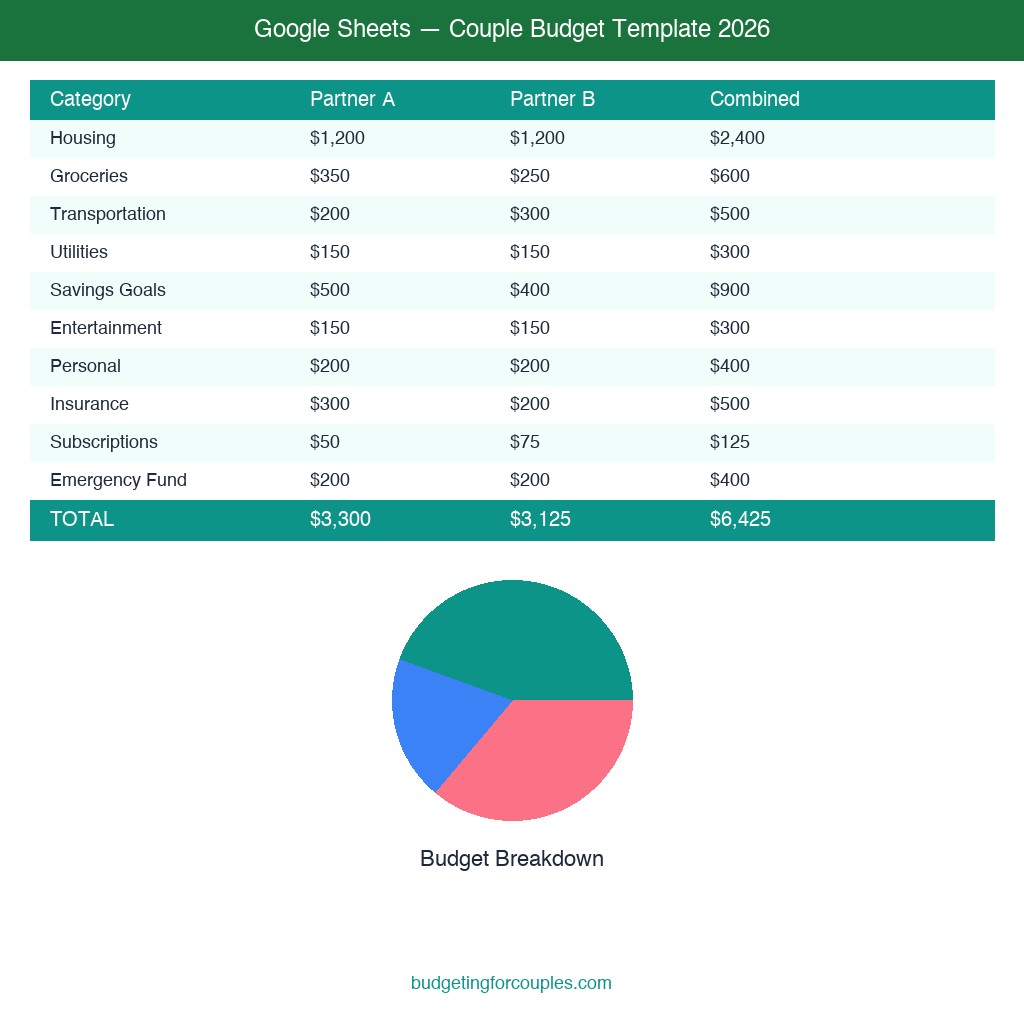
1. Tiller Foundation Template
Best Overall for Couples
Platform: Google Sheets
Price: Free template (Tiller auto-import: $79/yr)
Get Tiller Template →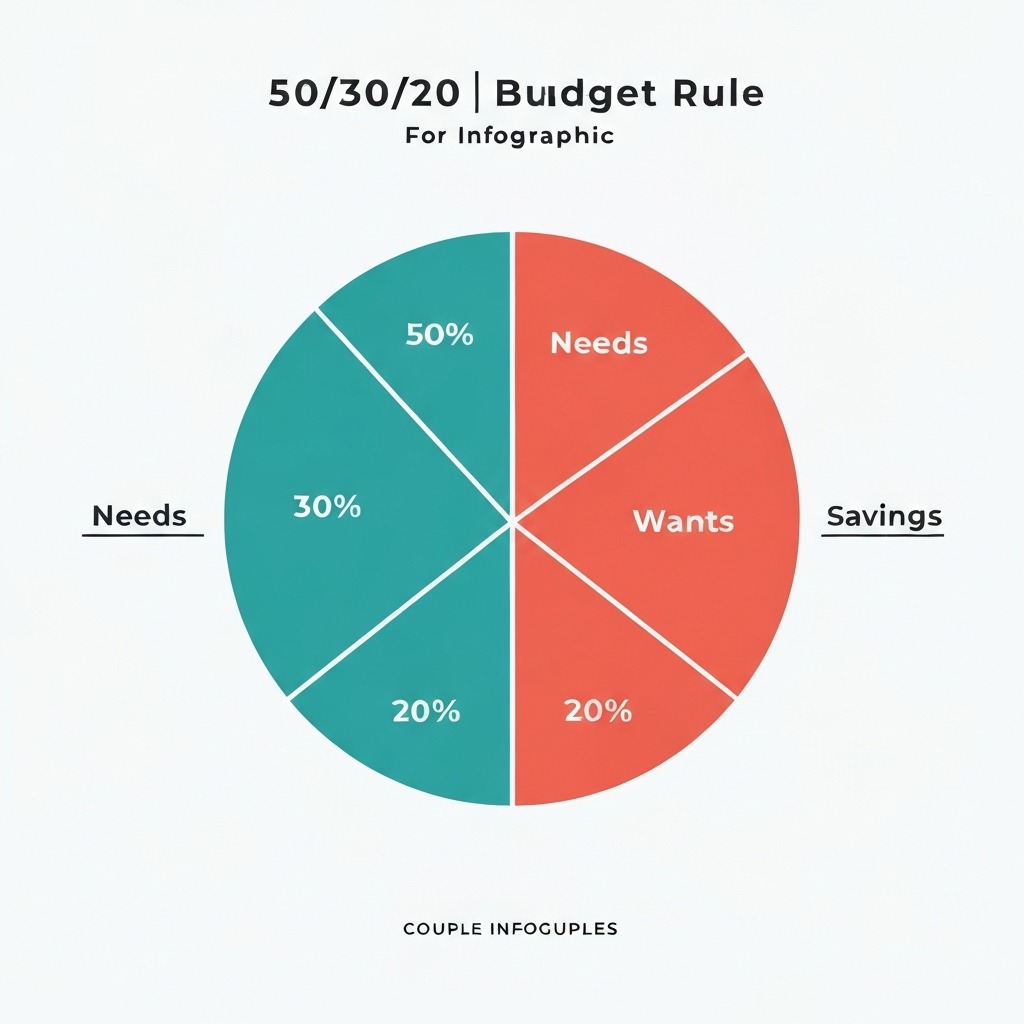
2. 50/30/20 Couple Budget Template
Best Free Template
Platform: Google Sheets
Price: 100% Free
Open in Google Sheets →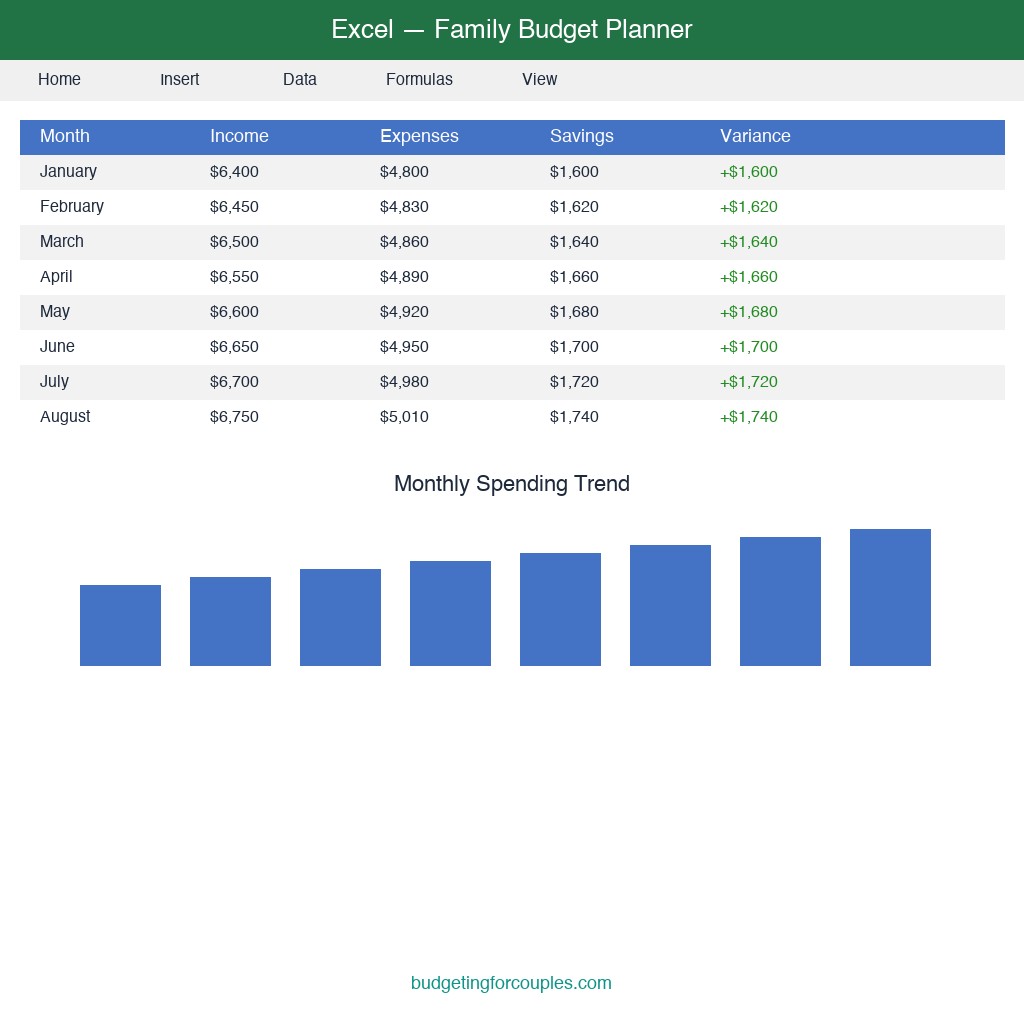
3. Excel Family Budget Planner
Best for Excel Users
Platform: Microsoft Excel
Price: Free with Microsoft 365
Browse Excel Templates →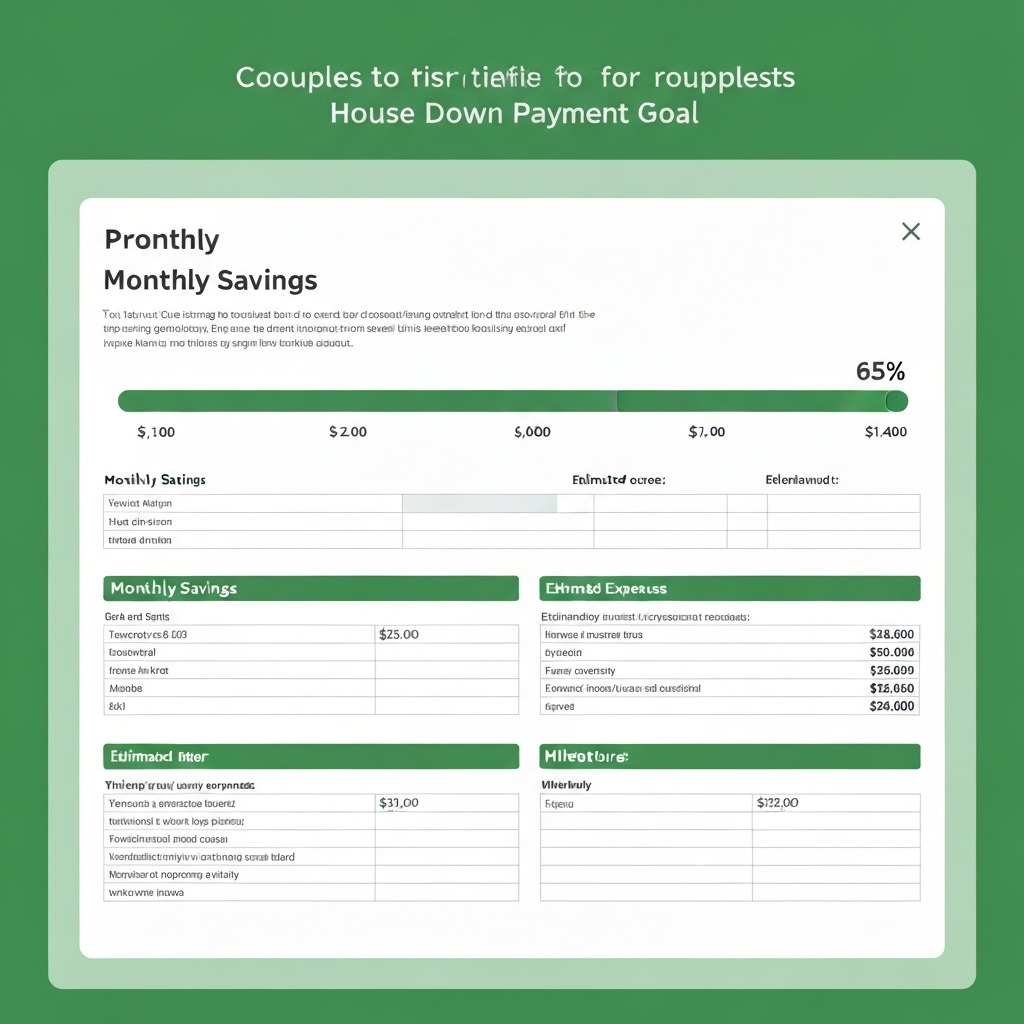
4. Couple Savings Goal Tracker
Best for Savings Goals
Platform: Google Sheets
Price: Free
Get Template →
5. Couple Debt Payoff Tracker
Best for Paying Off Debt Together
Platform: Google Sheets / Excel
Price: Free
Get Template →
6. Notion Couple Finance Dashboard
Best All-in-One Workspace
Platform: Notion
Price: Free (Notion free tier)
Browse Notion Templates →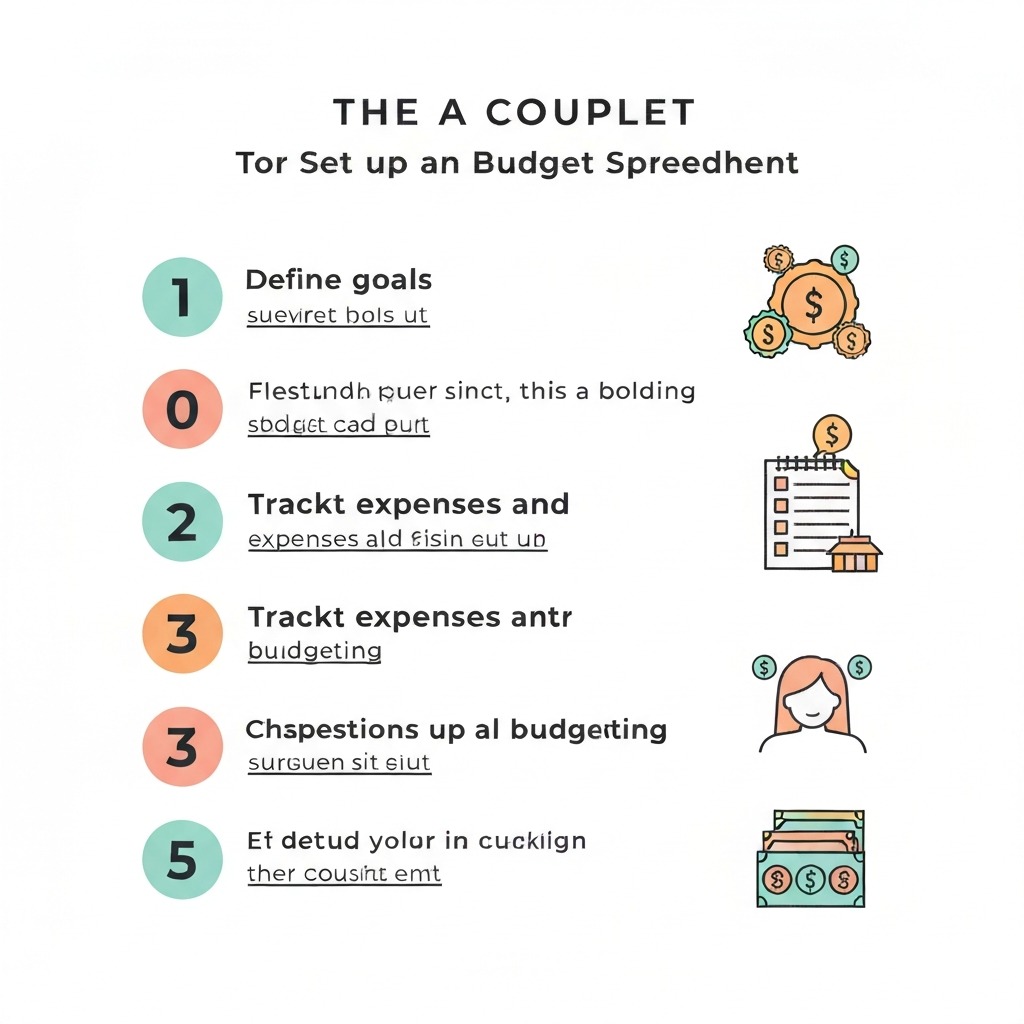
7. Vertex42 Household Budget
Best Printable Template
Platform: Excel / Google Sheets
Price: Free
Download from Vertex42 →1. Tiller Foundation Template — Best Overall for Couples
Score: 9.2/10
Tiller is the gold standard for spreadsheet-based budgeting. The Foundation Template connects directly to your bank accounts and automatically imports transactions into Google Sheets. For couples, this means both partners see every transaction without manually entering anything.
What makes it great for couples:
- Automatic transaction import from 17,000+ financial institutions
- Customizable category rules that both partners can edit
- Monthly and yearly summary dashboards built in
- Works with joint and individual accounts simultaneously
- Google Sheets real-time collaboration means both partners edit at once
Drawbacks:
- Auto-import requires Tiller subscription ($79/year after 30-day free trial)
- Template without Tiller still works but requires manual entry
- Initial setup takes 20–30 minutes to connect all accounts
Best for: Couples who want automated tracking in a fully customizable spreadsheet. If you're tired of apps that don't let you change anything, Tiller gives you total control.
2. Google Sheets 50/30/20 Couple Budget Template — Best Free Template
Score: 8.7/10
This template applies the 50/30/20 budget rule specifically for two incomes. It automatically calculates your combined take-home pay, splits it into needs (50%), wants (30%), and savings (20%), and tracks where you actually land each month.
What makes it great for couples:
- Separate income entry fields for each partner
- Auto-calculated target amounts based on combined income
- Color-coded variance tracking (green = under budget, red = over)
- Monthly trends chart shows spending patterns over time
- Completely free — no subscriptions, no sign-ups
Drawbacks:
- Limited to the 50/30/20 framework (not as flexible for custom categories)
- No transaction-level tracking — works at the category summary level
- Requires manual data entry each week or month
Best for: Couples just starting to budget together who want a simple, proven framework. If you're following the 50/30/20 rule for couples, this is the template to use.
3. Excel Family Budget Planner — Best for Excel Users
Score: 8.4/10
Microsoft's official Family Budget Planner template is built into Excel and available through Microsoft 365. It's polished, includes charts, and supports detailed category breakdowns.
What makes it great for couples:
- Professional-grade charts and visualizations included
- Pivot table support for deep-dive spending analysis
- Works offline — no internet required
- Familiar interface if either partner already uses Excel at work
- Macro support for advanced automation
Drawbacks:
- Real-time co-editing requires Microsoft 365 subscription (from $6.99/mo)
- Desktop version can't be accessed from mobile easily
- Steeper learning curve for advanced features
Best for: Couples where at least one partner is comfortable with Excel and wants powerful analysis tools. Ideal if you already have Microsoft 365 through work.
4. Couple Savings Goal Tracker — Best for Savings Goals
Score: 8.5/10
This focused template helps couples track multiple savings goals simultaneously — emergency fund, vacation, house down payment, wedding planning, or any shared goal.
What makes it great for couples:
- Visual progress bars for each savings goal
- Projected completion dates based on current contribution rate
- Supports both joint contributions and individual partner contributions
- Built-in milestone celebrations (25%, 50%, 75%, 100%)
- Links to your main budget spreadsheet for automatic updates
Drawbacks:
- Savings-focused only — not a full budget template
- Progress bars require Google Sheets (conditional formatting doesn't translate well to Excel)
- Needs to be paired with a comprehensive budget template
Best for: Couples actively saving for a house or other major goals who want a dedicated visual tracker alongside their main budget.
5. Couple Debt Payoff Tracker — Best for Paying Off Debt Together
Score: 8.3/10
Designed for couples tackling debt as a team, this template tracks multiple debts with snowball and avalanche payoff strategies built in.
What makes it great for couples:
- Supports both debt snowball (smallest balance first) and avalanche (highest interest first) methods
- Shows total interest saved by each strategy
- Tracks whose debt is whose while showing combined progress
- Projected debt-free date updates automatically
- Monthly payment scheduler with minimum payment calculations
Drawbacks:
- Debt-focused only — pair with a general budget template
- Complex formulas can be intimidating for spreadsheet beginners
- Requires accurate interest rate and balance inputs for projections
Best for: Couples with combined debt (student loans, credit cards, car payments) who want a clear plan and timeline to become debt-free together.
6. Notion Couple Finance Dashboard — Best All-in-One Workspace
Score: 8.0/10
Not technically a spreadsheet, but Notion's couple finance templates combine budget tracking, savings goals, bill calendars, and financial notes in one workspace. For couples who want everything in one place, it's a compelling option.
What makes it great for couples:
- Database views let each partner filter for their own transactions
- Bill calendar with due date reminders
- Shared financial goals with progress tracking
- Notes section for budget meeting agendas
- Beautiful, customizable interface
Drawbacks:
- No native formula support for complex calculations
- Can't import bank transactions automatically
- Slower than a pure spreadsheet for data entry
- Learning curve for Notion-specific features (databases, relations)
Best for: Couples already using Notion who want their financial planning integrated with other life planning tools.
7. Vertex42 Household Budget — Best Printable Template
Score: 7.8/10
Vertex42 has been creating free spreadsheet templates for over 15 years. Their Household Budget template is clean, well-documented, and works in both Excel and Google Sheets.
What makes it great for couples:
- Extremely well-documented with built-in instructions
- Print-friendly layout for couples who prefer physical budget reviews
- Works in Excel, Google Sheets, and LibreOffice Calc
- No account or sign-up required to download
- Annual summary view alongside monthly detail
Drawbacks:
- More traditional/plain design compared to modern templates
- Not specifically designed for two-income households (requires minor customization)
- No built-in charts (you'll need to create your own)
Best for: Couples who want a reliable, no-frills template that works everywhere and can be printed for in-person budget meetings.
Google Sheets vs. Excel for Couple Budgeting
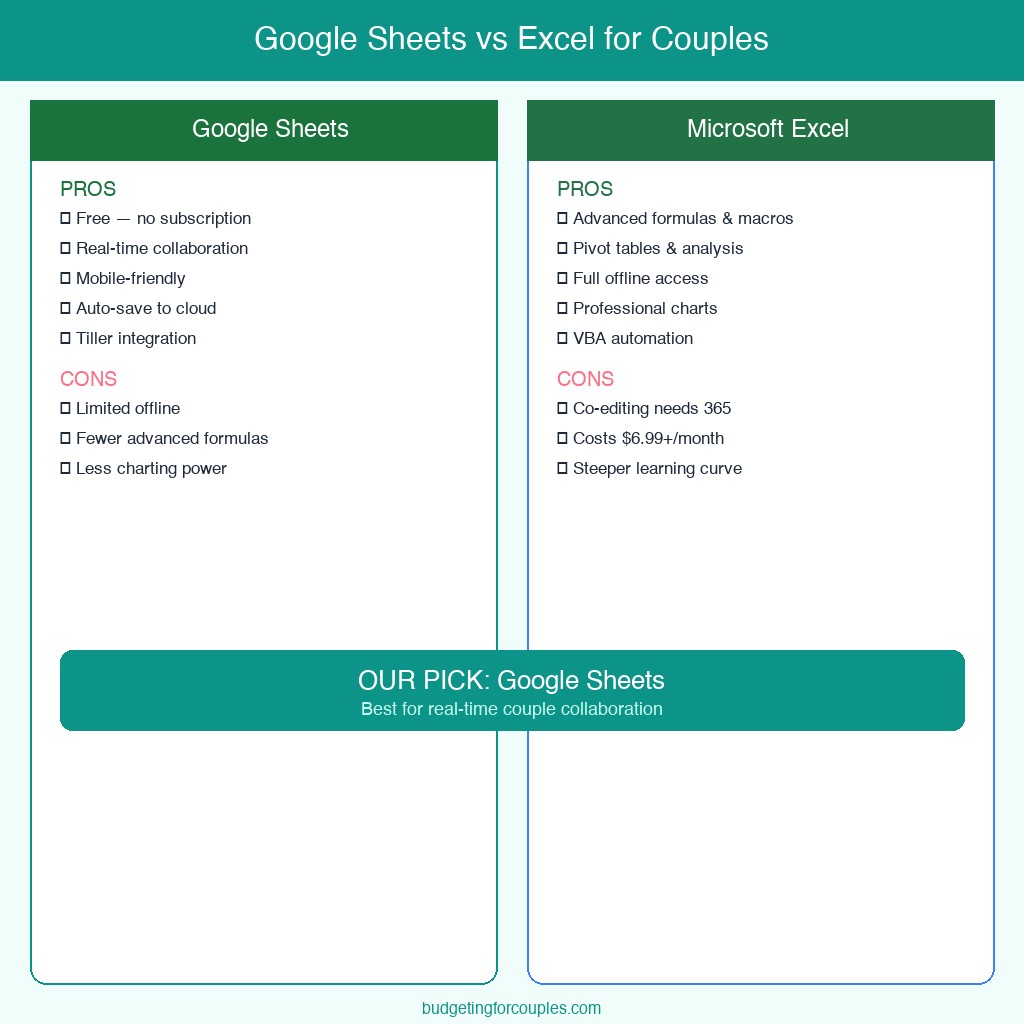
Choosing between Google Sheets and Excel is one of the first decisions you'll make. Here's how they compare for couple budgeting specifically:
| Feature | Google Sheets | Microsoft Excel |
|---|---|---|
| Real-time collaboration | Built-in, seamless | Requires Microsoft 365 |
| Price | Free | Free (web) / $6.99+/mo (desktop) |
| Mobile access | Excellent | Good (365 required) |
| Offline access | Limited | Full offline support |
| Advanced formulas | Good | Excellent |
| Macros & automation | Google Apps Script | VBA Macros |
| Template ecosystem | Growing | Massive |
| Data privacy | Google stores data | Local file option |
| Charts & visualization | Good | Excellent |
| Bank import support | Via Tiller ($79/yr) | Via Tiller ($79/yr) |
Our Recommendation
For most couples, Google Sheets is the better choice. The real-time collaboration alone makes it worth it — both partners can update the spreadsheet from their phones without emailing files back and forth or worrying about version conflicts.
Choose Excel if: You need advanced analysis (pivot tables, complex macros), you work offline frequently, or your employer provides Microsoft 365 for free.
How to Set Up Your Couple Budget Spreadsheet
Getting started with a shared budget spreadsheet takes less than an hour. Follow these five steps:
Step 1: Choose Your Template and Platform
Pick one of the templates above based on your needs. If you're unsure, start with the 50/30/20 Couple Budget Template in Google Sheets — it's free, simple, and you can always upgrade later.
Step 2: Set Up Shared Access
For Google Sheets:
- Open the template and click File → Make a Copy
- Click Share in the top right
- Enter your partner's email and set permissions to Editor
- Both partners bookmark the spreadsheet on their devices
For Excel (Microsoft 365):
- Save the file to OneDrive or SharePoint
- Click Share and enter your partner's email
- Both partners open the file from OneDrive for real-time sync
Step 3: Enter Your Combined Financial Picture
Fill in these details:
- Partner 1 take-home pay (after taxes and deductions)
- Partner 2 take-home pay
- Fixed shared expenses (rent/mortgage, utilities, insurance)
- Variable shared expenses (groceries, dining, entertainment)
- Individual expenses (each partner's personal spending)
- Debt payments (student loans, credit cards, car payments)
- Savings goals (emergency fund, house down payment, vacation)
Step 4: Decide on an Expense-Splitting Method
Three common approaches:
- 50/50 split — Equal contributions to shared expenses regardless of income
- Proportional split — Each partner contributes based on income ratio (e.g., if one earns 60% of combined income, they cover 60% of shared costs)
- Yours, mine, ours — Both contribute a set amount to a joint fund; the rest is personal
Most templates support all three. The proportional method tends to feel fairest for couples with different incomes. If you're navigating this decision, our guide on how to combine finances after marriage covers the topic in depth.
Step 5: Schedule Weekly Check-Ins
The spreadsheet only works if both partners use it. Set a recurring 15-minute weekly check-in to:
- Enter or review the week's transactions
- Flag any unexpected expenses
- Celebrate wins (staying under budget in a category)
- Adjust next week's plan if needed
Common Mistakes Couples Make with Budget Spreadsheets
After working with hundreds of couples on their finances, here are the mistakes I see most often:
1. Making It Too Complicated
A budget with 47 categories isn't a budget — it's a chore. Start with 10–15 categories max. You can always add more later once you have a rhythm.
2. Only One Partner Manages the Spreadsheet
If one person does all the data entry and the other just gets a monthly summary, you don't have a shared budget. Both partners need to interact with the spreadsheet regularly, even if one takes the lead on setup.
3. Forgetting Individual Fun Money
Every couple budget needs a "no questions asked" line item for each partner. Without personal spending money, budgeting feels restrictive and breeds resentment. We recommend 5–10% of take-home pay per person.
4. Not Accounting for Irregular Expenses
Annual insurance premiums, car registration, holiday gifts, and medical co-pays are predictable but not monthly. Create a "sinking funds" category that saves a small amount each month for these irregular costs.
5. Abandoning the Spreadsheet After One Bad Month
One month of overspending doesn't mean the budget failed. It means you have real data to learn from. The value of a budget spreadsheet isn't perfection — it's awareness.
Spreadsheet vs. Budgeting App: Which Is Better for Couples?
This isn't an either/or decision. Many couples use both — an app for day-to-day tracking and a spreadsheet for monthly planning and goal setting. Here's when each makes more sense:
Use a spreadsheet when:
- You want full customization over categories and layout
- You prefer seeing formulas and understanding where every number comes from
- You're on a tight budget and don't want another subscription
- You want to create custom reports or charts for your specific situation
- You enjoy the hands-on process of entering and reviewing data together
Use an app when:
- You want automatic bank transaction imports
- You need real-time spending notifications and alerts
- You want a polished mobile experience for on-the-go tracking
- Neither partner enjoys working with spreadsheets
- You're willing to pay $5–15/month for convenience
If you're leaning toward an app, check our detailed guide on the best budgeting apps for couples to find the right fit.
Recommended Book
For couples who want to go deeper on building a shared financial plan, The Couple's Financial Playbook by Mary Claire Allvine is an excellent companion to any budgeting template. It covers everything from having the money talk without fighting to building long-term wealth together.
Browse Couple Finance Books on Amazon →
FAQs
What is the best free budget spreadsheet for couples?
The Tiller Foundation Template for Google Sheets is our top overall pick because of its automatic transaction imports and customization. For a completely free option with no paid features, the Google Sheets 50/30/20 Couple Budget Template is excellent — it handles dual incomes, auto-calculates target amounts, and requires zero setup cost.
Should couples use Google Sheets or Excel for budgeting?
Google Sheets for most couples. The real-time collaboration is the deciding factor. Both partners can edit simultaneously from any device without emailing files or dealing with version conflicts. Choose Excel only if you need advanced features like pivot tables or VBA macros, or if you already have Microsoft 365 through work.
How do couples split expenses in a budget spreadsheet?
Three common methods: 50/50 equal split, proportional split based on income ratio (fairer when incomes differ significantly), or the yours-mine-ours method where each partner contributes a set amount to shared expenses. Most couple budget templates support all three approaches — just adjust the formulas in the income allocation section.
Can I automate a couple budget spreadsheet?
Yes. Tiller Money ($79/year) automatically imports transactions from 17,000+ banks into Google Sheets or Excel. Free alternatives include downloading CSV exports from your bank and importing them, or using Google Forms to create a shared expense logging form that feeds directly into your spreadsheet.
How often should couples update their budget spreadsheet?
Weekly at minimum, with a full monthly review together. Automated templates like Tiller update daily. Set a recurring 15-minute weekly check-in — research shows that couples who review finances together at least weekly report significantly fewer money-related arguments.
What categories should a couple budget spreadsheet include?
Start with these essentials: combined income (both partners), housing, utilities, groceries, transportation, insurance, debt payments, joint savings goals, individual discretionary spending (for each partner), entertainment, dining out, subscriptions, and emergency fund contribution. Add or remove categories as you learn what works for your household.
Sources & Methodology
- American Psychological Association. (2025). Stress in America: Money and Financial Anxiety. Retrieved from apa.org.
- Ramsey Solutions. (2025). Money, Marriage, and Communication Survey. Retrieved from ramseysolutions.com.
- NerdWallet. (2025). Couples and Money: Annual Financial Health Survey. Retrieved from nerdwallet.com.
- Tiller Money. (2026). Foundation Template Documentation and Pricing. Retrieved from tillerhq.com.
- Microsoft. (2026). Microsoft 365 Family Budget Templates. Retrieved from templates.office.com.
- Vertex42. (2026). Free Household Budget Spreadsheet. Retrieved from vertex42.com.
- Bureau of Labor Statistics. (2025). Consumer Expenditure Survey: Two-Income Households. Retrieved from bls.gov.
Testing period: February 1 – March 15, 2026 Templates tested: 12 Templates recommended: 7 Testers: 2 CFPs using realistic couple financial scenarios
About the Author
Emma L. is a Certified Financial Planner with over 8 years of experience helping couples build shared financial plans. She specializes in budgeting frameworks, debt payoff strategies, and savings goal planning for two-income households. Her work has been featured in NerdWallet, The Balance, and Business Insider.
Last updated: March 2026. We review and update our template recommendations quarterly to ensure accuracy.